Open source
We want Unky to outlive other browser projects like Arc and Brave. Unky is a real Apache 2 licenced open source project. Get the code on Github
Unky is an open source, light weight web browser for macOS and Windows with built in privacy and no clutter.
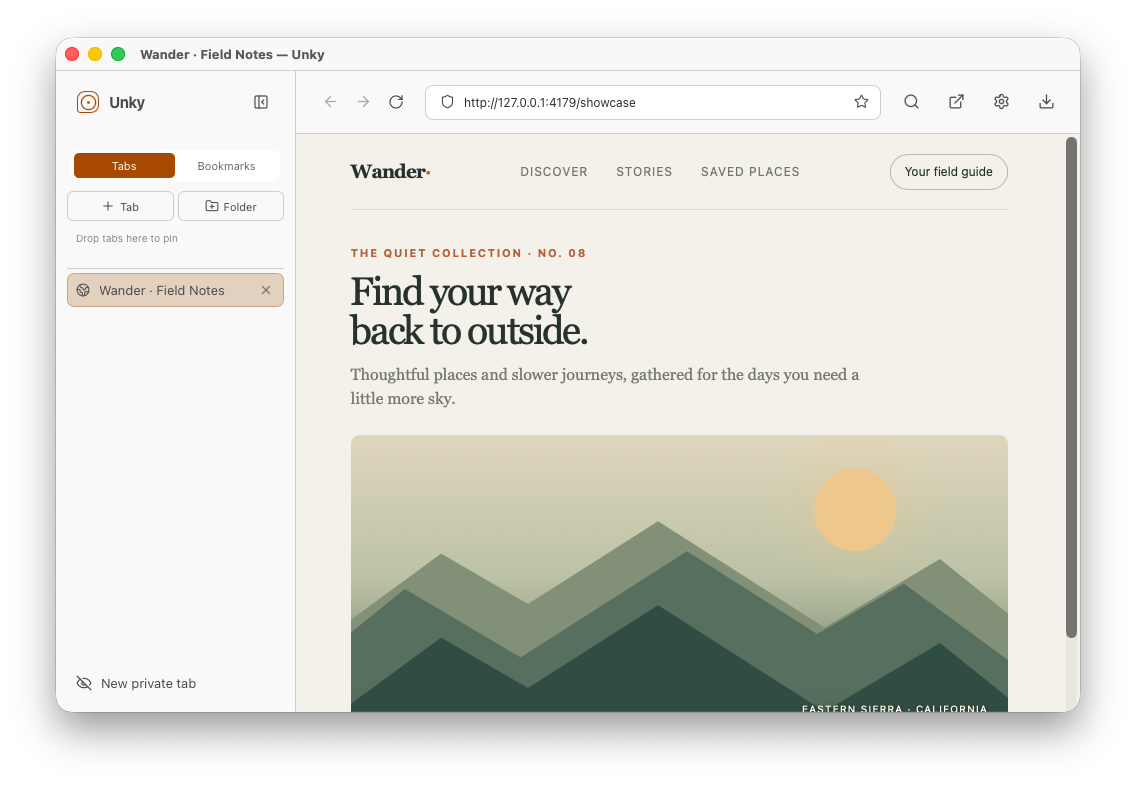
So, what is Unky?
Unky is a web browser built with Tauri. It uses the browser engine already on your computer, then adds privacy protections and a simplified user interface. A calm web.
Goals
These are the principles behind Unky: keep the browser small, put people in control, and leave room for the open web to surprise you.
We want Unky to outlive other browser projects like Arc and Brave. Unky is a real Apache 2 licenced open source project. Get the code on Github
Essentials should be built in to the browser. There are no accounts, plugin marketplaces, or configuration required.
Unky uses the browser engine already built in your computer, so Unky is a tiny download and takes up little memory.
Ad and tracker filtering is on by default. Nothing to install or configure. Unky uses a subset of the EasyList (currently MacOS only)
Enjoy a page in Unky, or send a link to another browser when that suits you better.
Features
Unky keeps the familiar parts of a browser, then gives your tabs a little more breathing room.
Keep pages in a tidy sidebar, group related tabs, and find your place at a glance.
Put two pages side by side or one above the other. Compare, read, and reference without hopping around.
On macOS, Unky blocks many ads and trackers by default, with a simple way to make a site exception.
Open a link in a split, a new window, or another installed browser.
Keep useful places close and revisit pages you have seen, without turning your start page into a feed.
Unky is an early desktop browser. Content filtering is currently available on macOS only and uses a supported subset of EasyList rules; some filter-list features are not applied yet. Windows downloads are available for x64 and ARM64; content filtering and some browser features are still in development there.
Take a look around
Download Unky for macOS or Windows and see where the web takes you. No account, newsletter, or setup checklist.
Windows installers are currently unsigned.
Only approve the app if you trust this download. If macOS says it will damage your computer, do not override that warning. See Apple’s instructions.